Tool pricing checked October 2026.
TL;DR
To build a targeted lead list with an API, turn your ideal customer profile (ICP) into search filters, search for matching companies, search for the right people inside them, add verified contact data, and export the list to your CRM or outreach tool. Quick version:
If you want to point and click, use a prospecting dashboard like Apollo or ZoomInfo and export from there.
If you want a list you can rebuild every week, use a search API like MoltSets, Apollo, ZoomInfo, or People Data Labs, called from your own code or a workflow tool.
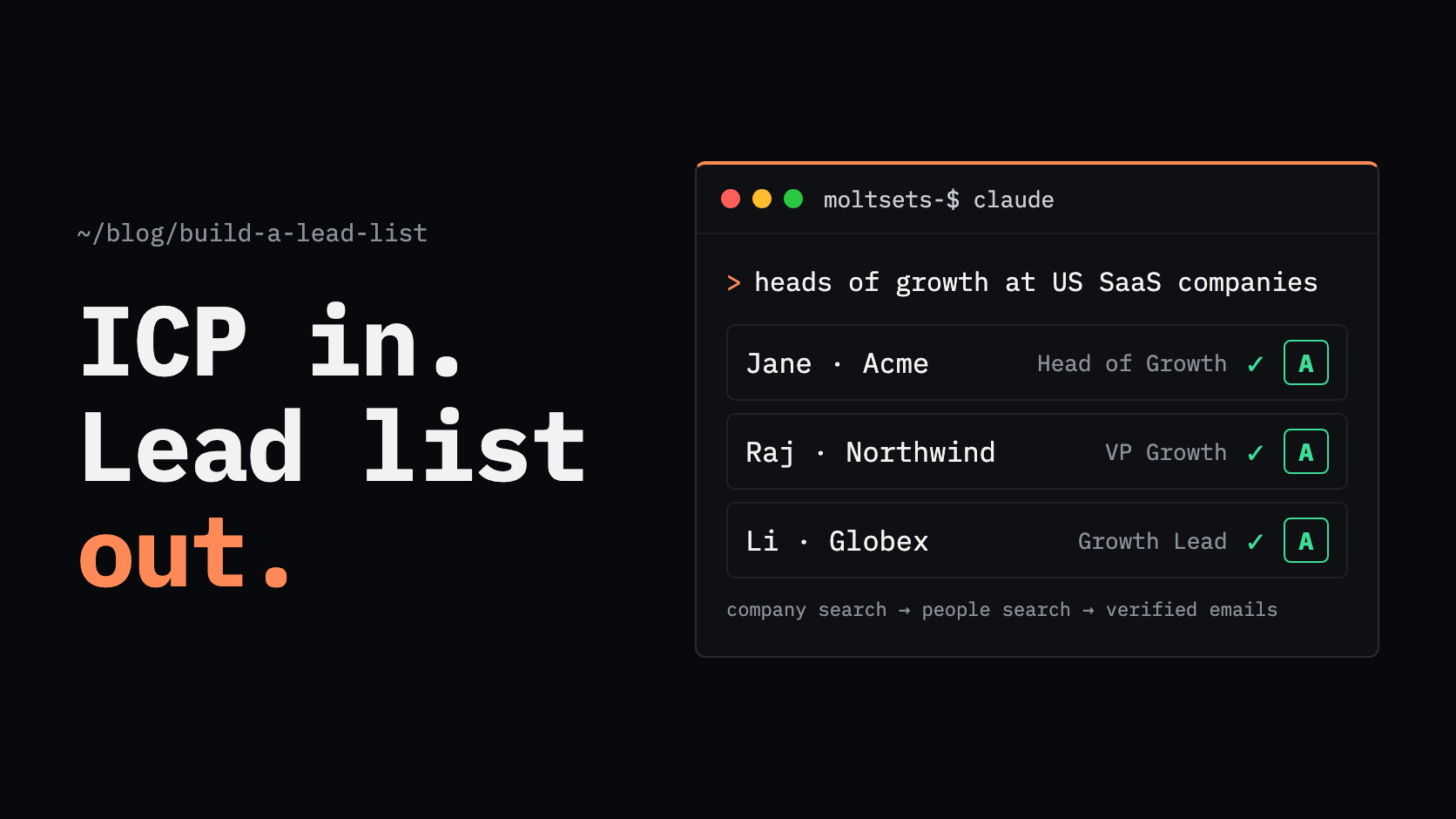
If you work in Claude or ChatGPT, connect MoltSets and describe your ICP in plain English; the list comes back in the chat with verified emails.
If your team already works in Clay, use Clay's Find People and Find Companies searches, then enrich in the same table.
No database has everyone, and coverage and freshness vary by tool. Check the results against your ICP before you use them.
How do I build a lead list with an API?
To build a lead list with an API, send your ICP criteria (job title, seniority, industry, company size, and location) to a people or company search API, page through the ranked results, and enrich the matches with verified emails. Because it's code or an agent doing the work, you can rerun the same search any time to get fresh results.
The build has five steps:
Define your ICP in filter terms.
Search for companies, people, or both.
Build the list by paging through results.
Enrich and verify the contact data.
Export or activate the list in your CRM or outreach tool.
Step 1: How do I define my ICP in filter terms?
To define your ICP in filter terms, translate each part of your target customer into a field a search API can match: job title, seniority, department, industry, company size, revenue, and location. A fuzzy ICP like "marketing leaders at mid-size software companies" becomes a precise query.
A worked example: VPs of Marketing at US software companies with 51 to 200 employees.
ICP idea | Filter | Example value |
|---|---|---|
Marketing leaders | Department and seniority | Marketing; VP |
The specific role | Job title | "VP of Marketing" |
Software companies | Industry, NAICS code, or LinkedIn industry | NAICS 513210 (Software Publishers), or LinkedIn industry "Software Development" |
Mid-size | Employee range | 51–200 |
In the US | Country | United States |
Not current customers | Excluded company domains | Your customer list |
Two tips that save money and keep results accurate:
Don't stack too many narrow filters. Many fields, like seniority or NAICS code, are blank for a share of records, and an exact-match filter drops every record where that field is empty. Start broad and narrow only where it matters.
Use exclusions. Excluding current customers and competitors in the query is cheaper than filtering them out afterward.
NAICS, the North American Industry Classification System, is the standard US federal agencies use to classify businesses. Codes run from 2 digits (a sector) to 6 digits (a specific industry), so you can target as broadly or narrowly as you need.
Step 2: Should I use company search or people search?
Use company search when your ICP is defined mainly by the account, such as industry, size, revenue, or technology, and people search when it's defined mainly by the role. Most teams use both: company search to build the account list, then people search to find decision-makers inside those accounts.
Company search returns organizations: name, domain, industry, size, revenue range, and location. Use it to scope your total addressable market or build a target account list.
People search returns individuals: name, title, seniority, location, LinkedIn URL, and current company. Use it to find the buyer.
The typical order:
Account-first. Search companies by industry and size, then search people by title at those company domains. Best for account-based marketing and named-account sales.
People-first. Search people directly by title, seniority, and company size. Best when the role matters more than the specific company, as in the worked example above.
What's the best way to build a targeted prospect list?
The best way to build a targeted prospect list depends on how often you need it and how much control you want. Dashboards suit occasional, manual lists; search APIs suit lists you rebuild regularly or feed into automated workflows; bought lists go stale fast; and scraping LinkedIn breaks its terms.
Approach | Freshness | Repeatable? | Terms and compliance risk | Best for | Limitation |
|---|---|---|---|---|---|
Dashboard export (Apollo, ZoomInfo) | Current as of the vendor's database | Manually, with saved searches | Low, within the vendor's terms | Reps building lists by hand | Manual exports don't scale to lists you refresh weekly |
Scraping LinkedIn Sales Navigator | As current as the profiles | With scripts or browser extensions | High: LinkedIn's User Agreement prohibits scraping and automated access | Not recommended | Breaks LinkedIn's terms and risks account restrictions |
Bought static list | Stale from the day you buy it | No | Medium to high: you must check how the data was collected | Rarely the right choice | Decays as people change jobs, and consent may not cover your use |
Search API (MoltSets, Apollo, ZoomInfo, People Data Labs) | Current as of each run | Yes, by code, agent, or workflow | Low, within the vendor's terms | Teams that rebuild lists or automate prospecting | Needs someone comfortable with an API, Claude, or a workflow tool |
On bought lists, the UK regulator is clear: the ICO says you must check that any list is accurate and that the details were collected fairly, and you can only email or text the people on it if they consented to messages from you specifically.
Which people and company search APIs can I use?
The main options are MoltSets, Apollo, ZoomInfo, People Data Labs, and Clay's built-in search. They differ most on whether search costs anything and whether results include emails.
Tool | Search cost | Emails in search results? | Results per request | Works in Claude | Limitation |
|---|---|---|---|---|---|
MoltSets | Flat monthly rate from $27/mo, no per-lookup credits; search has its own weekly allowance (2,500 records a week on $27) | Yes, a verified business email with risk score when available | Up to 25 | Yes (MCP) | Up to 25 results per request (Apollo and ZoomInfo return up to 100) |
Apollo | People search free; company search 1 credit per page | No; email costs 1 credit per person via enrichment | Up to 100 | Yes (MCP) | Can't page past 50,000 results for one search |
ZoomInfo GTM.AI | Search free | No; enriching costs 1 data credit per new record | Up to 100 | Yes (MCP) | The MCP can't use recurring monthly credits |
People Data Labs | 1 credit per record returned | Yes, on paid plans | Up to 100 | Not documented | You pay for every record returned, including ones you discard |
Clay | Included on paid plans (Launch and up) | No; emails need a separate enrichment | Up to 50,000 per Find People search | Yes (MCP, 100 results per query) | Search isn't on Clay's free plan |
Costs and limits come from each vendor's own docs and pricing pages. Per-record prices fall on larger plans.
Step 3: How do I build the list with a search API?
To build the list with a search API, send your filters, check how many results match, then page through the results from the top-ranked down. Save each record's ID or LinkedIn URL so you don't pay to fetch the same person twice.
MoltSets has both a people search and a company search, built for this workflow. You call them from Claude, ChatGPT, Claude Code, Codex, n8n, your own code, or an HTTP API step in Clay.
Filters that match an ICP. People search takes title, seniority, department, industry, NAICS code, LinkedIn industry, country, state, city, employee range, and revenue range. Company search takes industry, NAICS code, LinkedIn industry, employee range, revenue range, country, and state.
Exclusions are free. You can exclude company domains, countries, states, industries, seniority levels, and size bands, and excluded records don't use any of your allowance.
Ranked results. Results come back strongest match first, up to 25 per request, so the first pages are the best fit.
Emails come with the results. When MoltSets has a verified business email for a person, people search returns it with its A–F risk score, so many records don't need a separate enrichment step.
Flat-rate pricing. Paid plans start at $27/mo with no per-lookup credits, bounded by rate limits and a fair-use policy. Search records are metered separately from enrichment records.
For the worked example, a people search request looks like this:
{
  "title": "VP of Marketing",
  "seniority": "VP",
  "linkedin_industry": "Software Development",
  "employee_range": "51-200",
  "country": "United States",
  "exclude_company_domain": ["yourcustomer1.com", "yourcustomer2.com"],
  "limit": 25
}
Where it isn't a fit: MoltSets is a data and search API, not a prospecting dashboard with saved views and point-and-click list management. MoltSets is in public beta, and the free plan includes only 100 lifetime search records, so test on a small query first.
How do I build a lead list in Claude or ChatGPT?
To build a lead list in Claude or ChatGPT, connect MoltSets and describe your ICP in plain English. Claude turns it into search filters, runs the search, and returns the list in the chat.
Connect MoltSets once. Add it as a connector in Claude (claude.ai, Claude Desktop, or Claude Code), which works on every Claude plan, or in ChatGPT on Business, Enterprise, and Edu plans. On team plans, an admin adds the connector first.
Describe who you want. For example: "Find 50 VPs of Marketing at US software companies with 51 to 200 employees. Skip anyone at these customer domains. Include verified emails and LinkedIn URLs, and put it in a table."
Get the list back in the chat. Claude returns names, titles, companies, LinkedIn URLs, and verified emails with risk scores, ready to export.
There's no separate dashboard to log into and no exporting between tools.
Step 4: How do I enrich and verify the list?
To enrich and verify the list, add contact data to every match that's missing it and check each email's verification status before anyone sends. A list of names and titles isn't usable until you have contact data you can trust.
Fill the gaps. For people without an email in the search results, run an enrichment call using their LinkedIn URL. With MoltSets, linkedin_to_best_email returns a verified email, and linkedin_to_mobile_phone returns a carrier-verified mobile (mobiles are a metered add-on).
Gate on the risk score. With MoltSets, send to A (validated deliverable) and B (known engagement) emails, treat C (catch-all) and F (no signal) as unknown and send at lower volume, and never send to D (spam trap or complaint).
Keep the validation date. Store when each email was last checked, so you know when to re-verify.
Step 5: How do I export or activate the list?
To activate the list, push it to wherever your team works: your CRM, a Clay table, or a sequencing tool. Include the LinkedIn URL and a stable record ID so you can deduplicate and refresh it later.
CRM. Import into HubSpot, Salesforce, or Pipedrive, matching on email or LinkedIn URL to avoid duplicates.
Clay. Send the list to a Clay table to add more data or score accounts.
Outreach tool. Load verified A and B emails into your sequencer, and keep C and F in a separate, lower-volume campaign.
Rerun on a schedule. Because the list comes from a query, rerun it weekly or monthly to pick up new hires and new companies that fit.
Which approach fits your team?
Situation | Best approach |
|---|---|
A rep building a one-off list by hand | A dashboard like Apollo or ZoomInfo |
A list you rebuild every week or month | A search API like MoltSets, Apollo, or ZoomInfo |
Building lists inside Claude or ChatGPT | Connect MoltSets and describe your ICP |
Your team already works in Clay | Clay's Find People and Find Companies |
Large data pulls for analytics or a data warehouse | People Data Labs |
Thinking about scraping Sales Navigator | Don't; it breaks LinkedIn's terms |
Frequently asked questions
Search people at those companies' domains, filtered by title and seniority. For example, with MoltSets you'd pass the company domains plus seniority: "VP" or "C Suite" and a department like Marketing or Sales, then enrich the matches with verified emails.
Use a people search API with a job title filter plus an industry filter, such as a NAICS code or LinkedIn industry label. Add seniority to catch title variations, and company size to match your ICP. MoltSets, Apollo, and ZoomInfo all support these filters.
Company search returns organizations that match criteria like industry, size, and revenue. People search returns individuals who match criteria like title, seniority, and location. Most teams use company search to build the account list and people search to find the buyers inside it.
Scraping LinkedIn breaks LinkedIn's User Agreement, which prohibits using software, scripts, bots, or browser extensions to scrape or copy profiles, and LinkedIn can restrict accounts that do it. Use a licensed data provider or search API instead. This isn't legal advice.
API data is as current as the provider's database at the moment you run the search, which is why rerunning a search beats buying a static list. Freshness varies by provider; check for a last-updated or last-validated date on each record.
Yes. Clay's Find People and Find Companies searches are included on its paid plans, and you can enrich the results in the same table with any provider, including MoltSets through an HTTP API step.
Yes, once you connect a contact-data tool. With MoltSets connected through MCP, you can describe your ICP in plain English and Claude runs the search, returning names, titles, companies, LinkedIn URLs, and verified emails in the chat.